Once you have logged a few shifts, Keepzu shows your real hourly rate while you drive: what you keep after fuel and tax, estimated from your own pay. Log what the apps paid at the end and the figure is exact. Made for UK drivers: couriers, delivery, Amazon Flex and private hire.
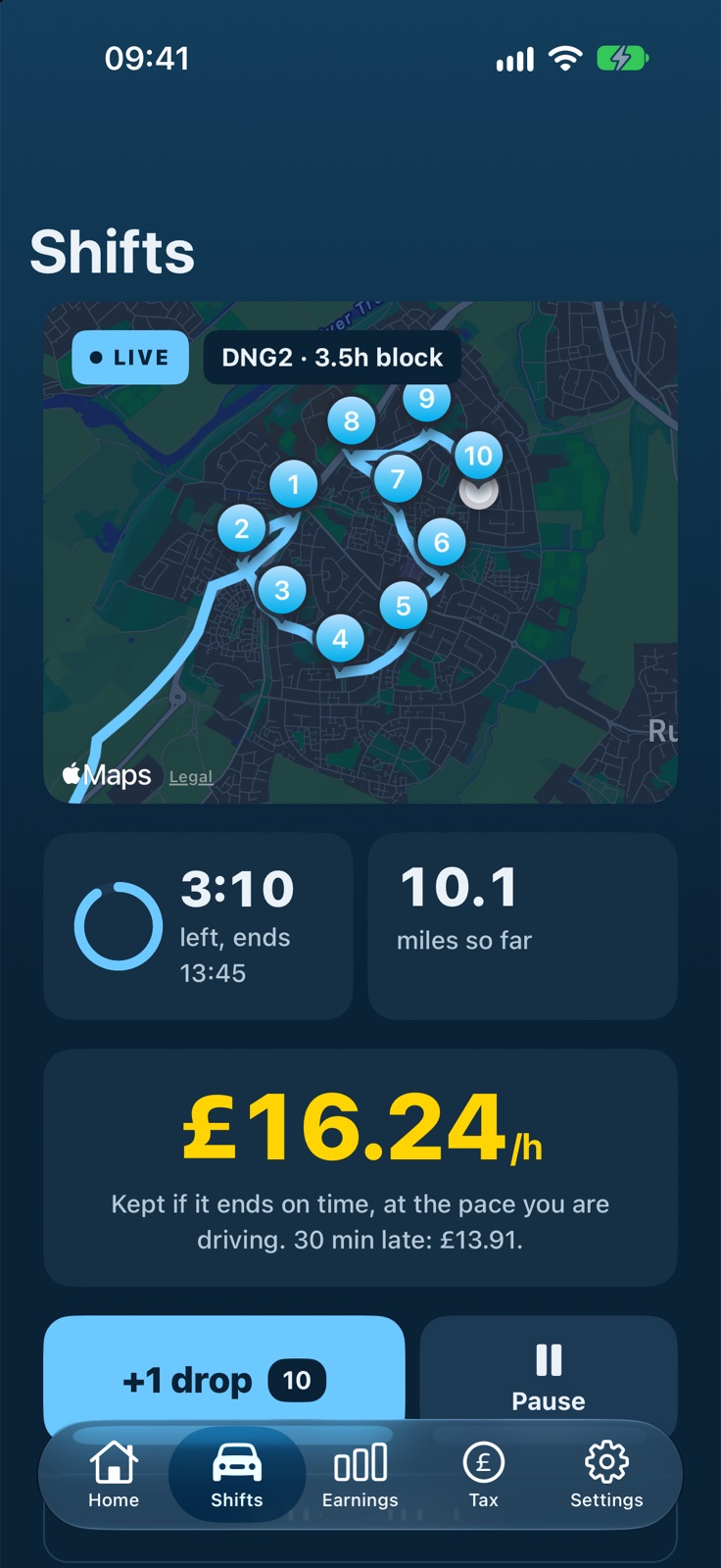
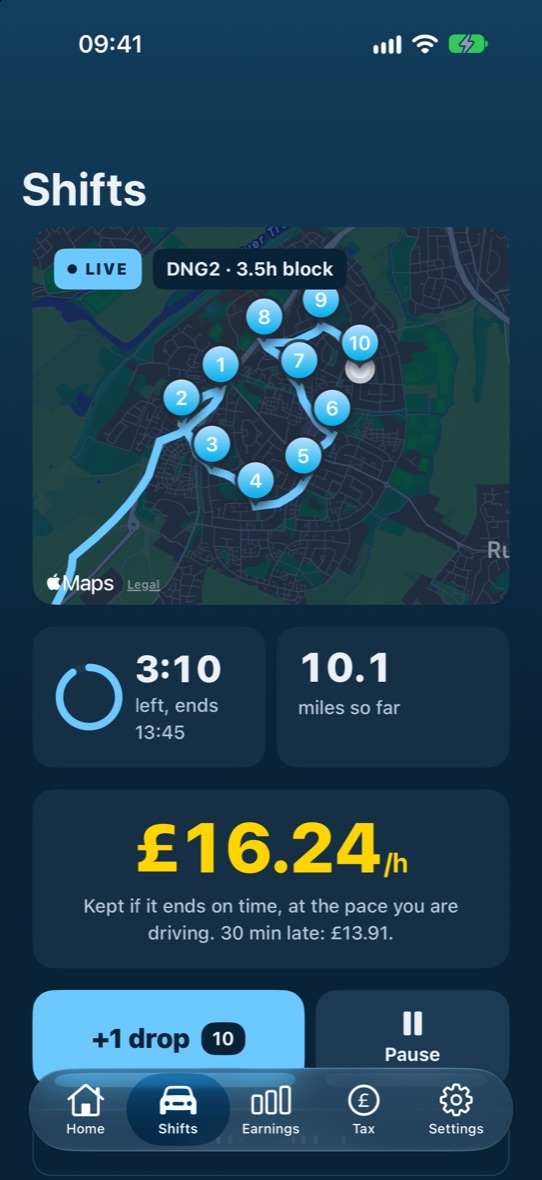
The live block screen, with example figures. Not a real driver.
How it works
One number that tells the truth.
The apps show what they paid you. They do not show the fuel, the miles home or the tax bill waiting in January. Keepzu does, while the shift is still running.
Start a shift
One tap. Pick the apps you are working for today. With location on, Keepzu counts the miles while you drive, even with the phone locked.
Watch the real rate
After your first few logged shifts, Keepzu estimates what you keep each hour while you drive, from your own usual pay, minus fuel and a tax set-aside.
Log what you were paid
When the shift ends, type what each app paid you and the rate becomes exact. It takes seconds, and you can do it later.
Amazon Flex
Know what a block is worth before you start it.
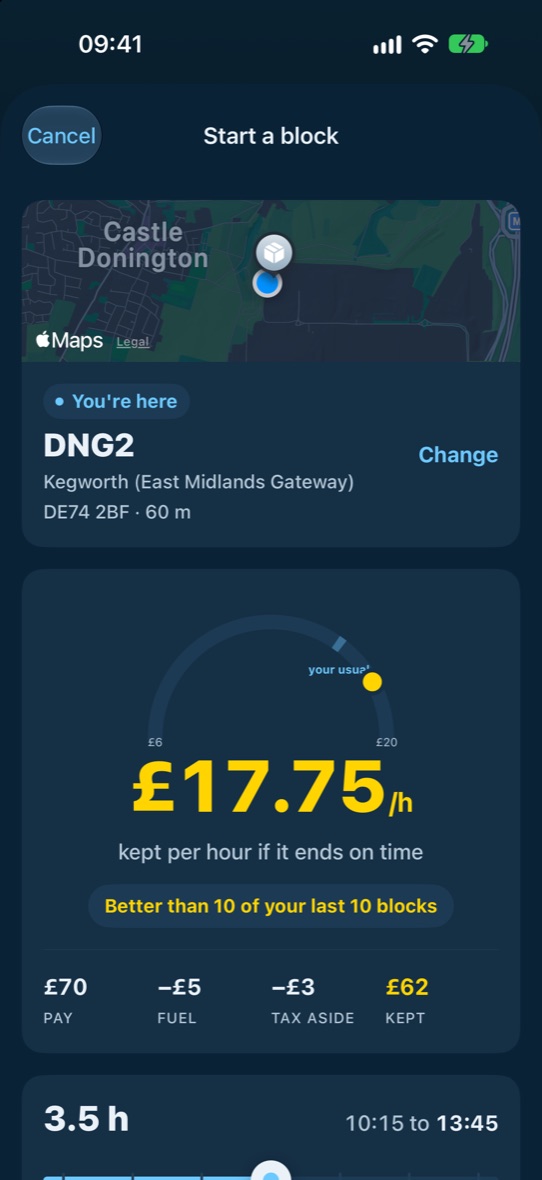
Keepzu picks your station from where you are ("You're here: DNG2"), with a Change button if it guessed wrong. Set the block length on a time bar and type the offer on a big keypad. Before you start, a verdict card shows what the block is worth after fuel and tax, per hour, against your recent blocks. Hold the button to start.
The live block screen draws your route as you drive, with rolling miles, a countdown ring and the live rate.
It tells you when you are back at the station. Hold to end.
On the lock screen and in the Dynamic Island, a Live Activity shows the countdown, the station and your hourly rate.
Offer, 3 hours£48.00
Fuel, 45 miles-£6.73
Tax set-aside-£4.65
You keep£12.21 an hour
Example block with example figures: 45 mpg, petrol at £1.48 a litre and 20% set aside after the HMRC mileage allowance.
Inside the app
From the station to the tax bill.
01
Price the block
It finds your station and shows what the offer keeps per hour after fuel and tax, against your recent blocks.
02
Drive the block
The time left, the miles so far and the live rate, with one tap for each drop.
03
See your week
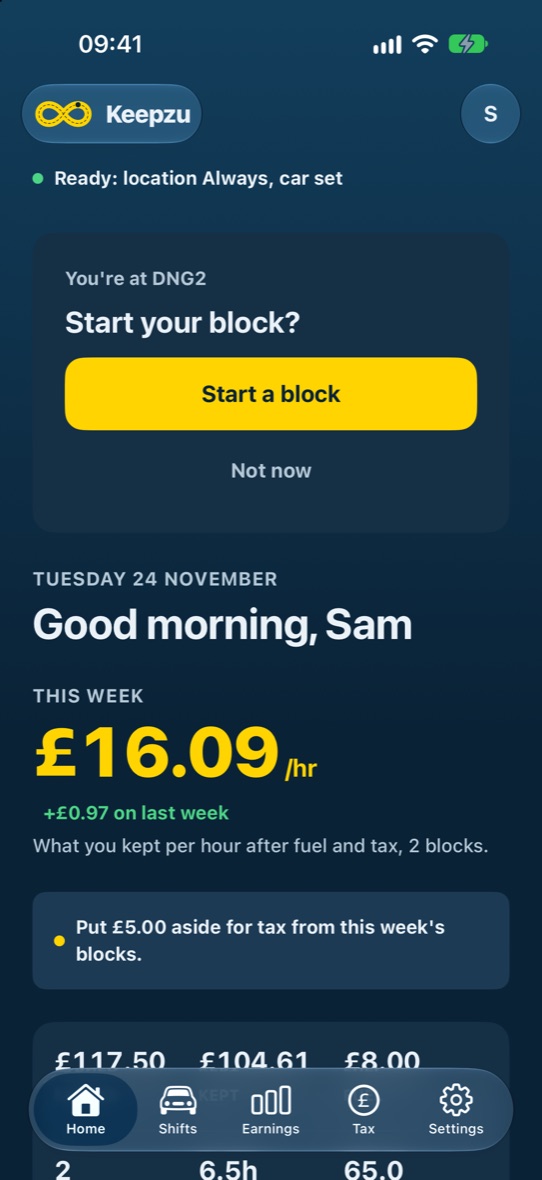
What you kept per hour this week, and what to put aside for tax.
04
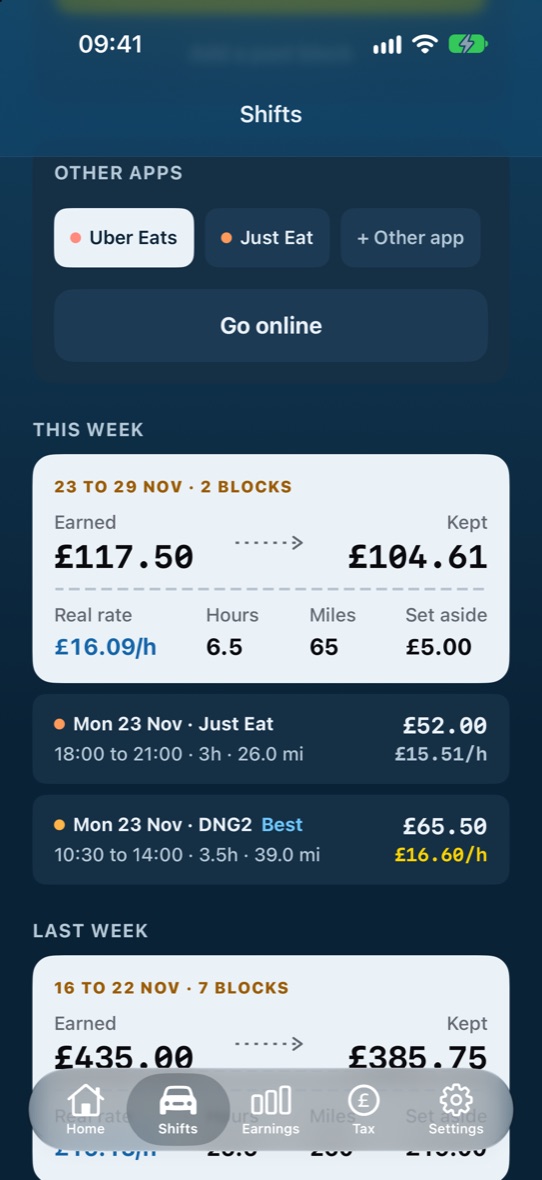
Every shift and block
This week and last week on one ticket: earned, kept, hours, miles and set aside.
05
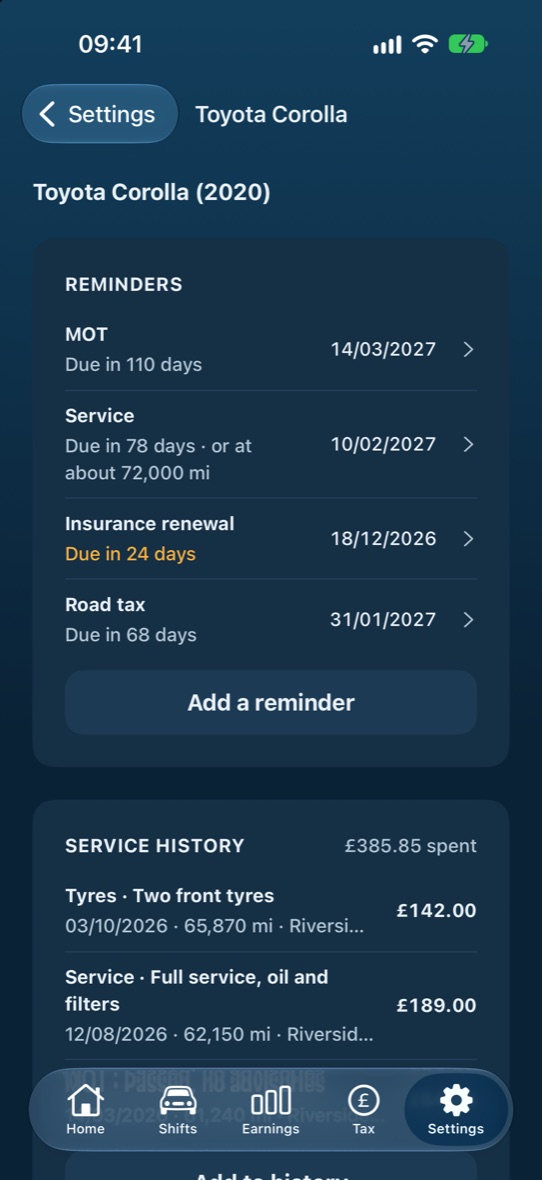
Look after the car
MOT, service, insurance and road tax reminders, with the service history and what it cost.
06
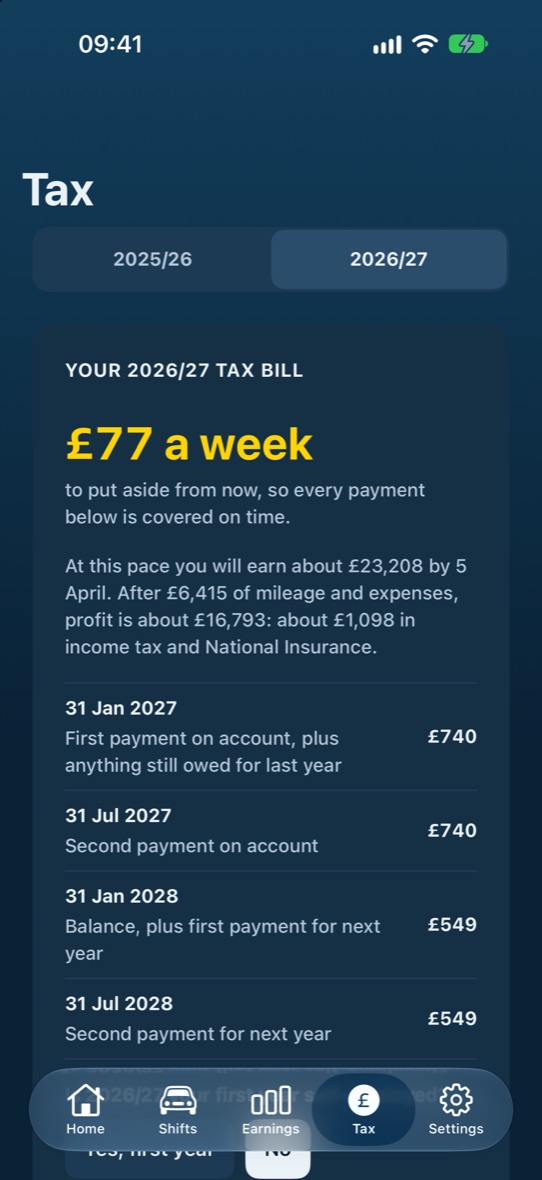
Plan the tax bill
Your bill for the year, the dates it is due and one amount to put aside each week.
Screens from the app with example figures. Not a real driver.
Features
Built for how you actually work.
Your real hourly rate, live
Keepzu shows what the hour is paying while you are still on the road, so you can decide whether the next one is worth it. Afterwards each day sits against your usual range, so a bad day is obvious and a good one is worth repeating.
Flex in the morning, Uber Eats at night, or both at once. Keepzu keeps them in one shift, so you can see which app pays best per hour once costs are counted.
Van and courier jobs
Paid per job? Enter the price, the loaded miles and the drive back, and Keepzu tells you if the job clears your own minimum per mile before you accept it.
An HMRC mileage log that keeps itself
With location on, business miles are counted during your shifts, at 55p a mile for the first 10,000 and 25p after that (2026/27, cars and vans). Export it as a PDF or CSV when you need it.
Your car, from the number plate
Type your registration and Keepzu fills in the make, model, fuel and MOT date from the DVSA record. Keep a service history (date, mileage, what was done, cost) and add your own reminders, such as road tax or insurance.
This week and last week
Monday to Sunday, with the totals on one ticket: earned, kept, fuel, hours and miles. Edit what you were paid, delete a shift, add tips and adjustments to a Flex block (such as an earnings guarantee top-up), and add past blocks with a time wheel and a calendar.
Reminders on your phone
When a block ends, and before your MOT, service or your own car reminders are due. They are scheduled on the phone, nothing is sent from a server, and you can switch them off in setup or Settings.
Tax In development
Your January bill, before January.
Most tax apps show the tax you owe so far. Keepzu projects your year to 5 April, including the payment on account that surprises many drivers in their first year, and turns it into one amount to put aside each week.
Earnings to 5 April£26,000
Business miles14,180 mi
Income tax and Class 4 NI£1,790
Due 31 January 2028£2,685
Due 31 July 2028£895
Put aside each weekabout £52
Example for a driver in their first year in England, 2026/27 rates. An estimate, not tax advice.
Privacy
Your shifts stay on your phone.
No account needed. Even if you make one, we cannot see your miles, your earnings or where you drive.
Stored on the device
Shifts, trips and expenses live in Keepzu's own storage on your phone.
No tracking
No analytics, no advertising, and location recorded only during a shift, or for drives once you switch automatic trips on.
Lookups keep nothing
A number-plate lookup is answered and forgotten. Exports go only where you send them.
Any. You type your own earnings, so Keepzu does not need to connect to anything. Setup lists the common ones, such as Amazon Flex, Uber Eats, Deliveroo, Just Eat, Evri, Uber, Bolt, and one shift can carry several apps at once.
Does Keepzu file my tax return?
No. Keepzu keeps your mileage log and estimates what to put aside, so January is not a surprise. You can export your mileage log as a PDF or CSV for your return or your accountant.
How much does it cost?
Pricing is not set yet. People testing Keepzu before launch get everything free.
Is it on Android?
iPhone comes first. Android is planned to follow.
Where is my data kept?
On your phone. An account is optional and only holds your name, email and how you sign in; your shifts stay on the phone either way. Keepzu has no analytics and no advertising. When you look your car up by registration, the answer comes back and nothing is stored. The privacy policy explains it in plain English.
Are the tax figures exact?
They are estimates based on the HMRC rates for the tax year and on what you have entered. Use them to plan, and check your return with HMRC or an accountant.
Know what every hour is worth.
Coming soon to iPhone. Android to follow. Testing with drivers now.